Text to CSV · Tested
How to convert text to CSV
A .txt file converts to CSV in one step if its columns are separated by one consistent character: a tab, pipe or semicolon. Open it in CSVLane, set Output to Comma and download. If the columns only line up with spaces, or there is one value per line, it needs one small fix first.
A converter can only split what it can see. We ran five small text files through CSVLane on 30 October 2026 and recorded what came out. Every file is below, so you can repeat the test here or in any other converter.
Test results: five kinds of text file
| File | Layout | Detected | Columns | Result |
|---|---|---|---|---|
| text-tab.txt | Tab between columns; commas inside values | tab | 3 | Correct. Canvas tote, natural stays one value and gets quoted |
| text-pipe.txt | Pipe between columns | pipe | 4 | Correct. Portland, OR stays one value and gets quoted |
| text-semicolon.txt | Semicolon; decimal commas; a quoted semicolon | semicolon | 3 | Correct. 24,00 stays one value and gets quoted |
| text-spaces.txt | Columns aligned with spaces | none | 1 | Not split. Each line stays one cell |
| text-list.txt | One value per line, no heading | none | 1 | One column, but the first value becomes the column name |
Three of five converted in one step. The two that did not are the two with no separator character for a tool to find.
Convert a delimited text file in four steps
- Open the Clean workspace and choose your file, drop it on the panel, or use Paste text. Files ending in
.txt,.tsvand.csvare accepted, up to 15 MB. - Check that the table shows the columns you expect. The file line names the separator it found.
- For a pure conversion, untick Trim extra spaces, Remove empty rows and Remove duplicate rows, so that no data changes along the way. The example links below already have them unticked.
- Set Output to Comma and download the file.
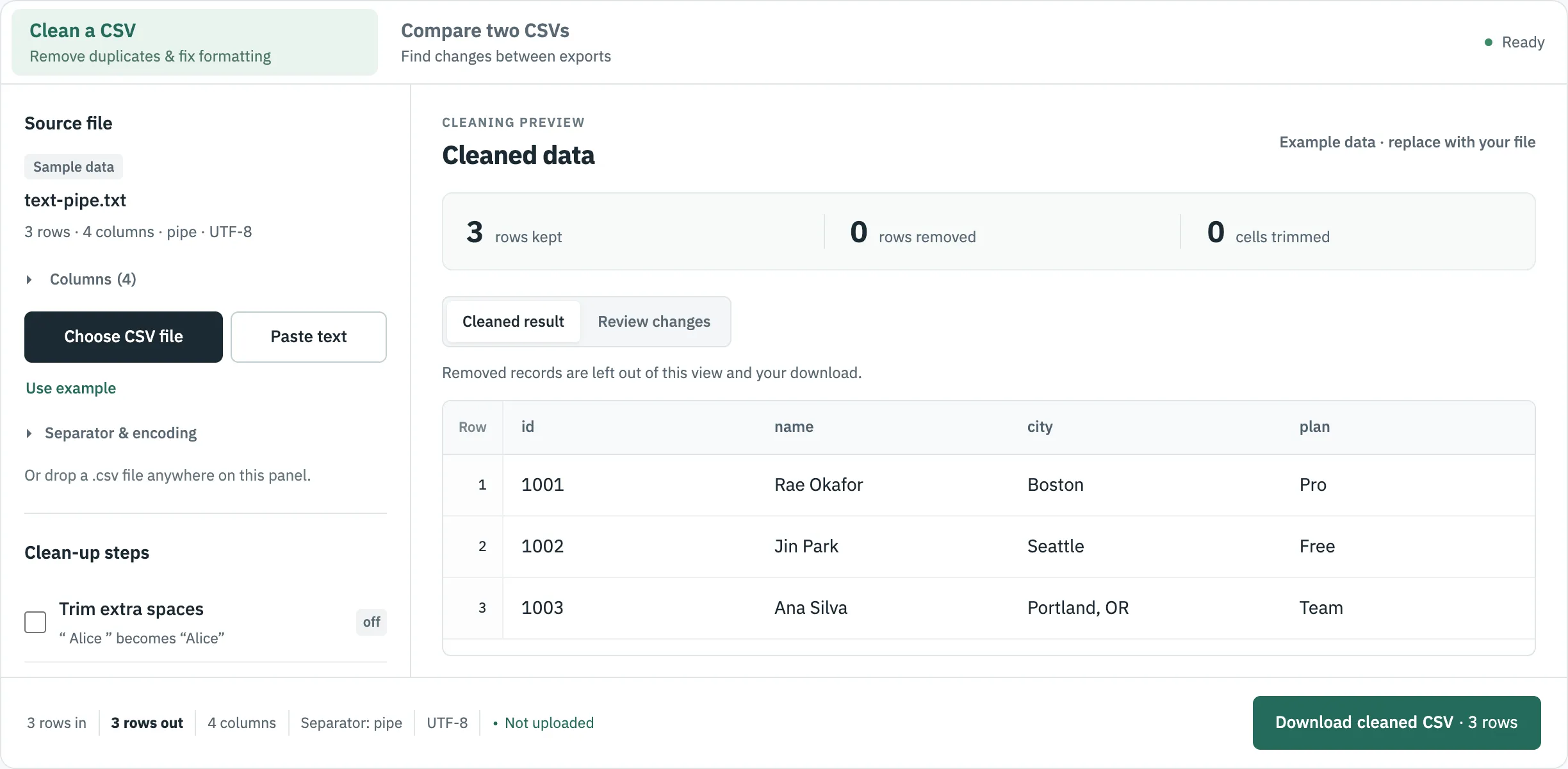
Why not find-and-replace the separator? In the pipe file, the value Portland, OR holds a comma. Replacing | with , gives that row five columns instead of four. A CSV writer quotes the value instead, as RFC 4180 says a field containing a comma should be:
Input (pipe)
1003|Ana Silva|Portland, OR|Team
Output (comma)
1003,Ana Silva,"Portland, OR",Team
Space-aligned text: split it yourself first
Some reports and command-line output line columns up with spaces. In text-spaces.txt, the single space in Rae Okafor sits next to the double spaces between columns, so no single character separates the columns. CSVLane does not guess here: it keeps each line as one cell, and the column count of 1 tells you.
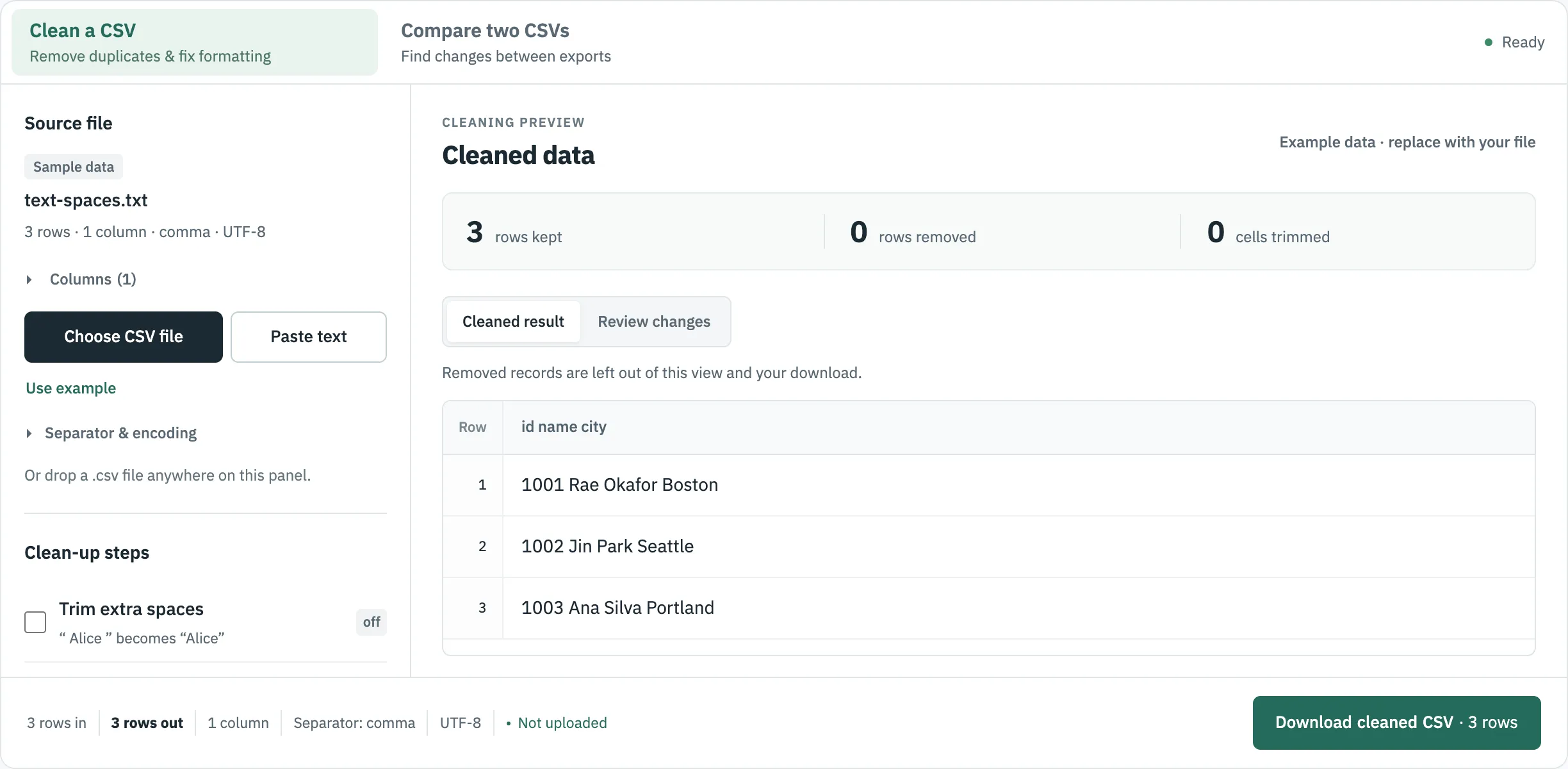
If at least two spaces always separate your columns and values never contain two spaces in a row, this Python one-liner gives a correct split. It produced the right three columns on our test file:
import csv, re, sys
csv.writer(sys.stdout).writerows(re.split(r" {2,}", line.strip()) for line in open("text-spaces.txt"))
Check the result. A value padded by only one space from the next column, or a blank cell, will shift everything after it. If a column can be empty, you need the character positions of each column, which only you or the file's documentation can supply.
One value per line: add a heading
text-list.txt is three email addresses. There is nothing to split, and it is already valid one-column CSV, but a CSV reader treats the first line as the heading:
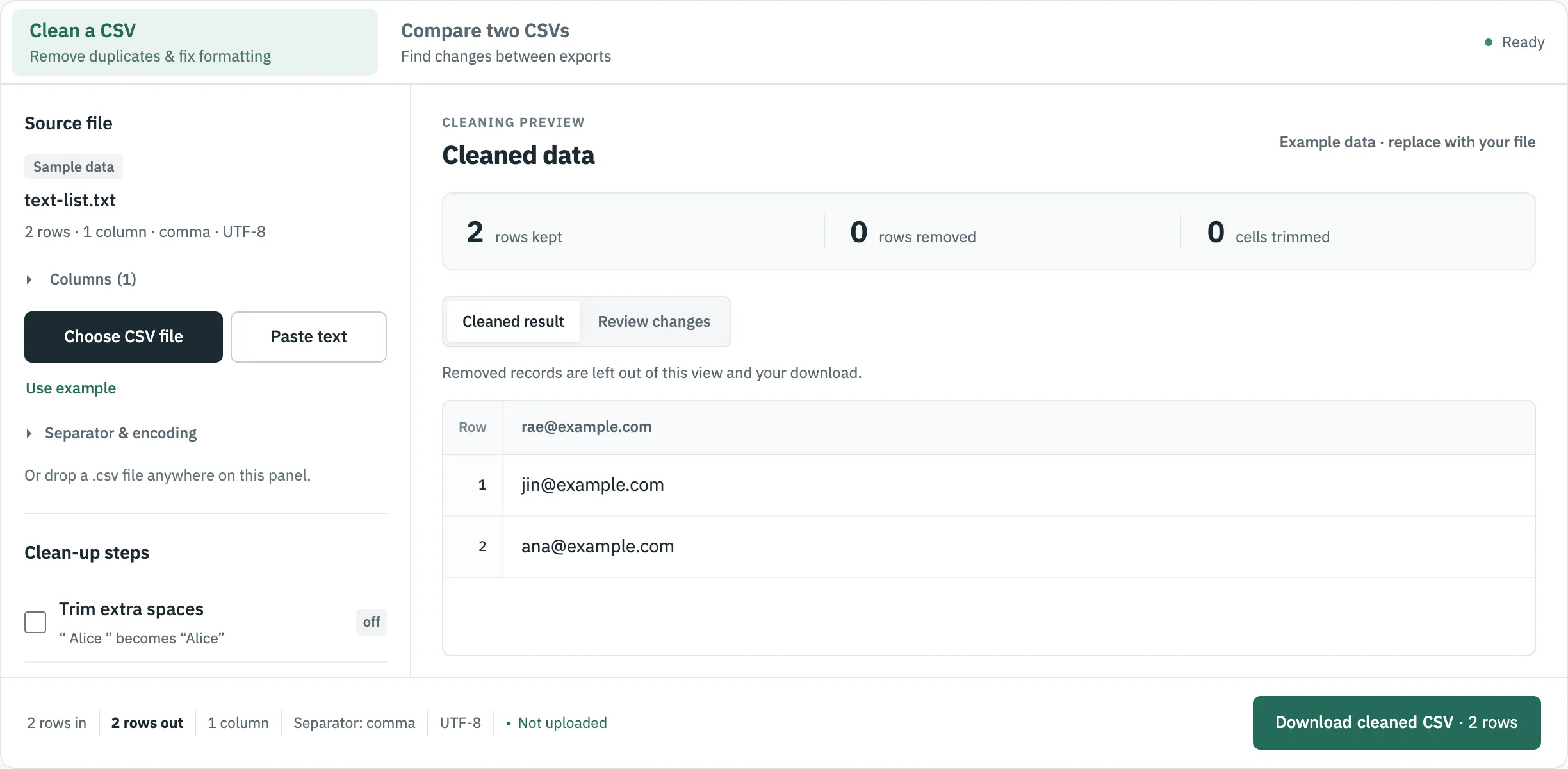
Fix it by pasting the text into Paste text with email as a new first line.
Before you import the result
- Check the file for damage. Rows with too many or too few cells and broken quotes are reported. See what a CSV validator catches.
- Check the encoding. Downloads from CSVLane are UTF-8 with a byte order mark. If the target system rejects that, read CSV vs CSV UTF-8.
- Formula protection. For a database or API import, untick Protect against spreadsheet formulas, so values such as
+44 20…stay exactly as they are.
Where to go next
Sources
- RFC 4180: Common Format and MIME Type for CSV Files, read 30 October 2026.