CSV validation · Test files
What a CSV validator catches: ten broken files
To validate a CSV file, load it in CSVLane: rows with the wrong number of cells, broken quotes, and empty or repeated column names are all reported. In our test of ten broken files, it flagged seven as problems and read an eighth correctly. Two faults passed without a warning, so here is the whole table.
The test: one fault per file
Each file contains one fault. “Reported” means a warning or error naming the problem. We tested CSVLane and Python’s csv.reader with strict=True (Python 3.9.6), on 30 October 2026. Rule numbers are from RFC 4180, section 2.
| File | Fault | RFC 4180 | CSVLane | Python strict |
|---|---|---|---|---|
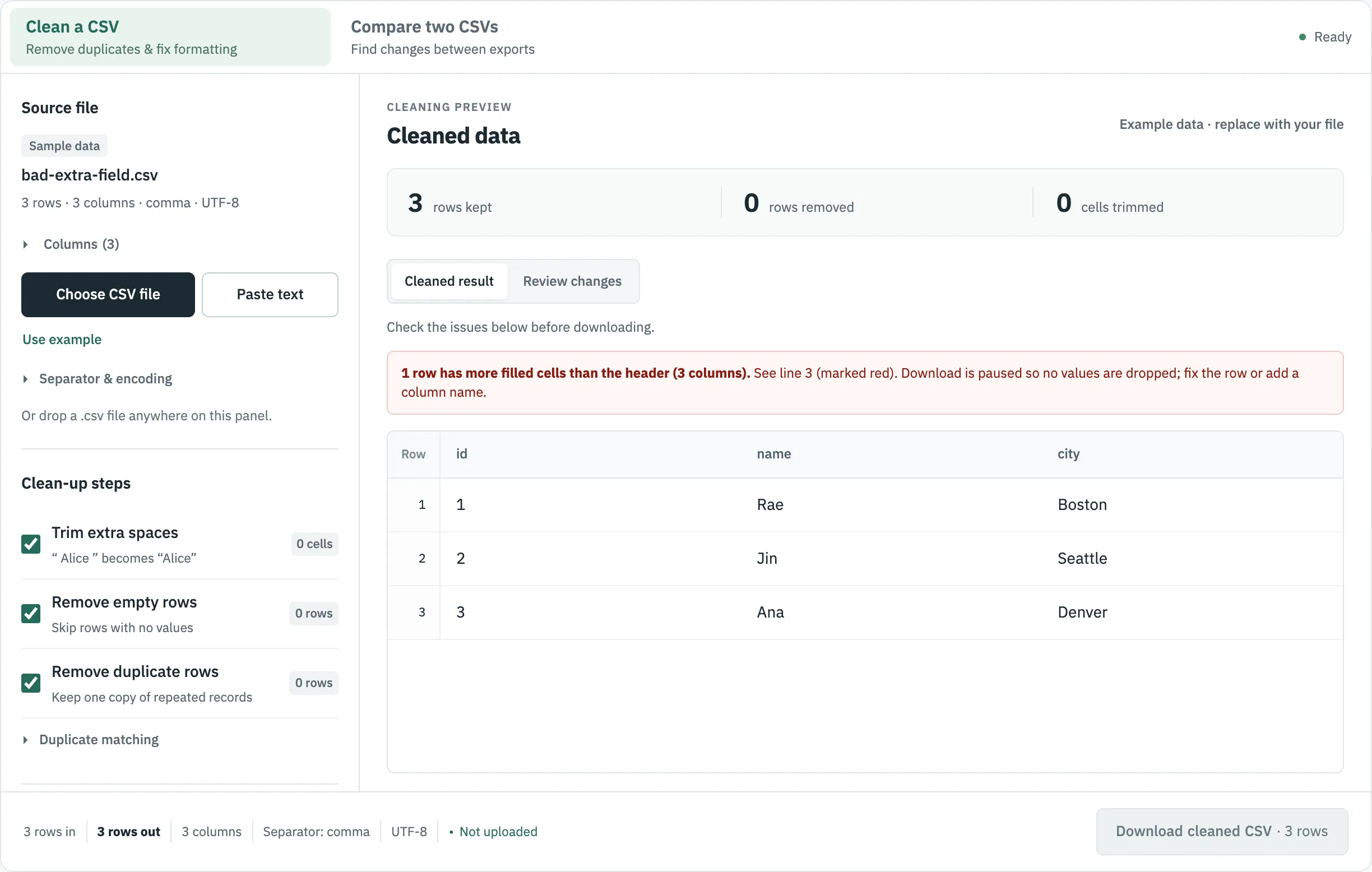
| extra-field | A row has 4 cells, the header 3 | Rule 4 wants equal counts | Reported, line 3, and pauses the download | Not reported |
| short-row | A row has 2 cells, the header 3 | Rule 4 | Reported; padded and marked in the table, no line number in the notice | Not reported |
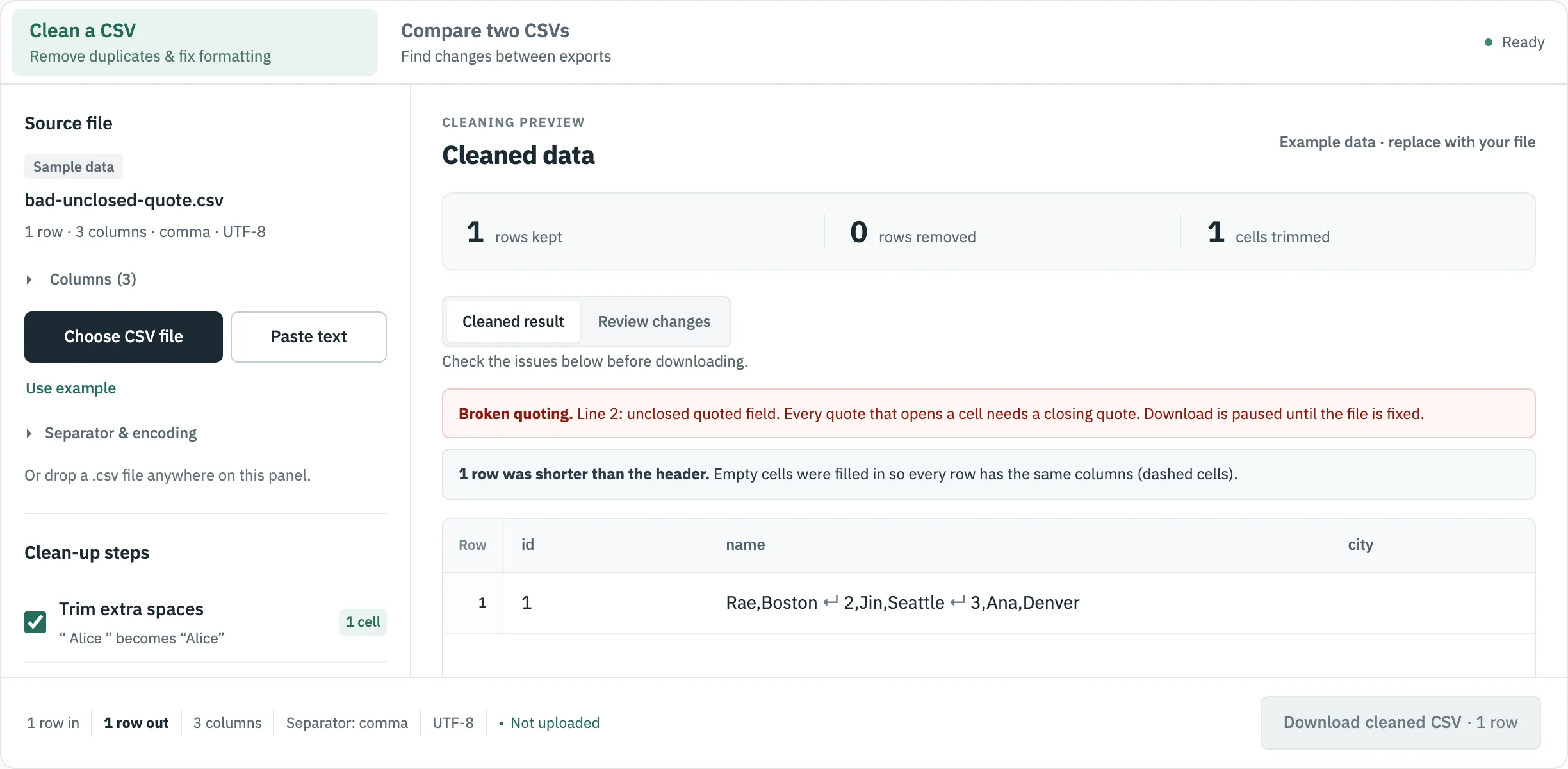
| unclosed-quote | A quote that never closes | Rule 6, 7 | Reported, line 2, and pauses the download | Error: unexpected end of data |
| text-after-quote | "Rae" Okafor | Rule 5, 7 | Reported, line 2, and pauses the download | Error: , expected after " |
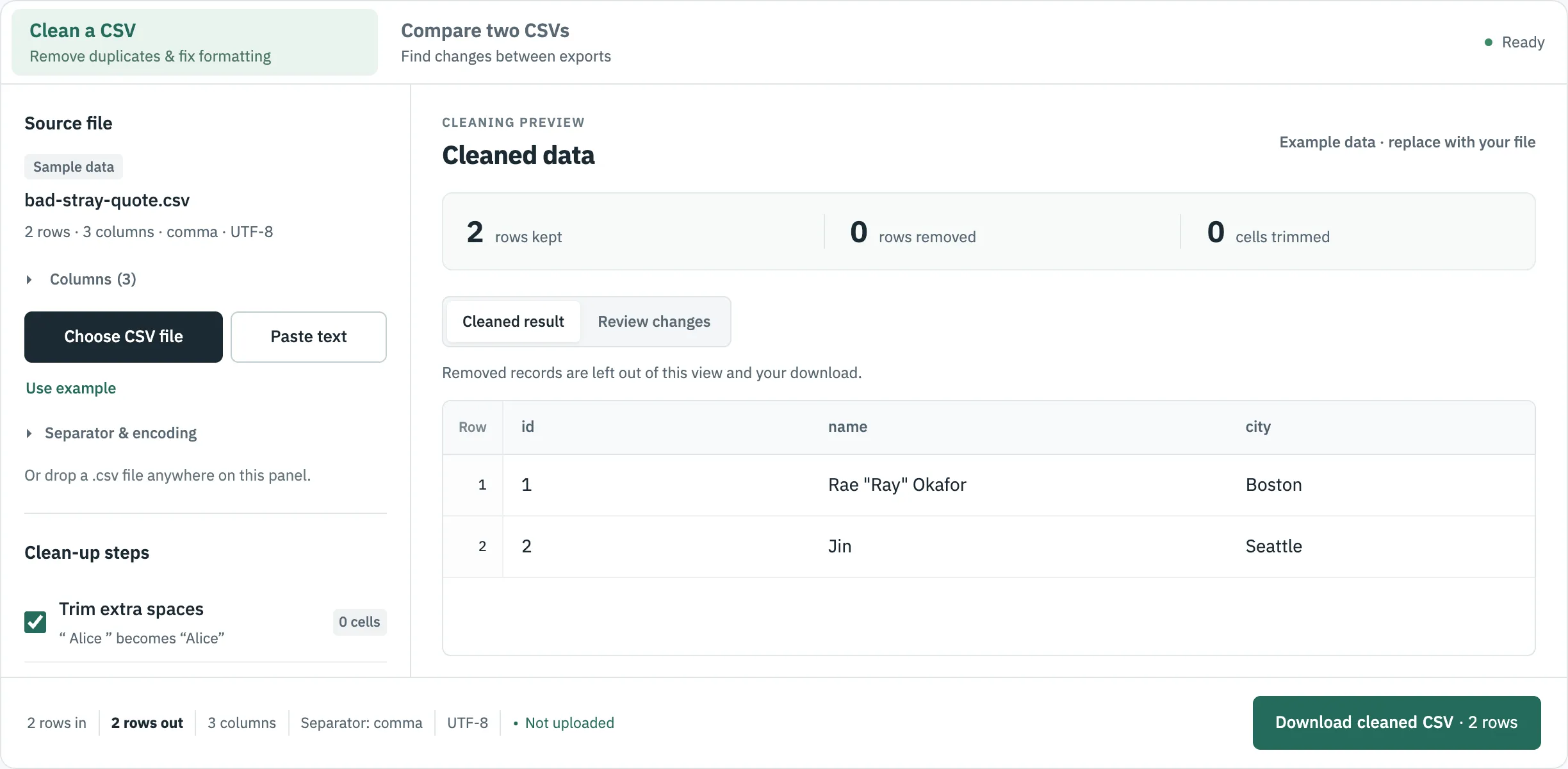
| stray-quote | Rae "Ray" Okafor, unquoted | Rule 5 forbids it | Not reported; value kept as written | Not reported |
| duplicate-header | Two columns named name | Not covered | Reported | Not reported |
| empty-header | A column with no name | Not covered | Reported | Not reported |
| wrong-separator | Semicolons, not commas | Rule 4 says commas | Read correctly as semicolon, and named in the file line | Reads every row as 1 column, no error |
| blank-line | An empty line mid-file | Not covered directly | Not reported as a fault; removed and counted in Clean | Returns an empty row, no error |
| not-utf8 | Windows-1252 bytes | Charset is outside the rules | Reported as read in Windows-1252 | Error: UnicodeDecodeError |
Download any file: extra-field, short-row, unclosed-quote, text-after-quote, stray-quote, duplicate-header, empty-header, wrong-separator, blank-line, not-utf8. We did not test other online validators.
The Python column comes from this check, run on each file:
import csv
with open(name, newline="", encoding="utf-8") as f:
    rows = list(csv.reader(f, strict=True))
Seven reported by CSVLane; three by Python strict. Python’s reader checks quotes and leaves row widths to you, so strict=True alone does not validate a table.
What each kind of report looks like
An extra cell is the most serious: the value has no column to go in, so CSVLane pauses the download instead of dropping it silently.
A quote that never closes is the fault that does the most hidden damage, because everything after it is swallowed into one cell. The whole of lines 2 to 4 ends up in the name column of a single row:
And this is what a miss looks like. By the letter of RFC 4180 an unquoted field cannot contain double quotes, but no warning appears here, and the value is kept as written:
What a structure check cannot tell you
All of the above checks whether a file is readable. It does not check whether the data is right. A file can pass every check above and still have a date in a price column.
- Types and blanks. Open Columns on a loaded file: CSVLane lists each column’s likely type, how many cells are empty and how many values are unique, which shows you which column can serve as a key.
- Your own rules. Required columns, allowed values and formats depend on the system you are importing into. For those, use a schema-based validator or the target system’s own import report.
- The stray-quote case. If your target is strict about quoting, search the file for
"in cells that do not start with one.
Duplicate rows are not a structure fault either, so they are not in this table. They are handled by removing duplicate rows.
Where to go next
Sources
- RFC 4180: Common Format and MIME Type for CSV Files, read 30 October 2026.
- Python documentation: csv module, read 30 October 2026.